

Table of Content
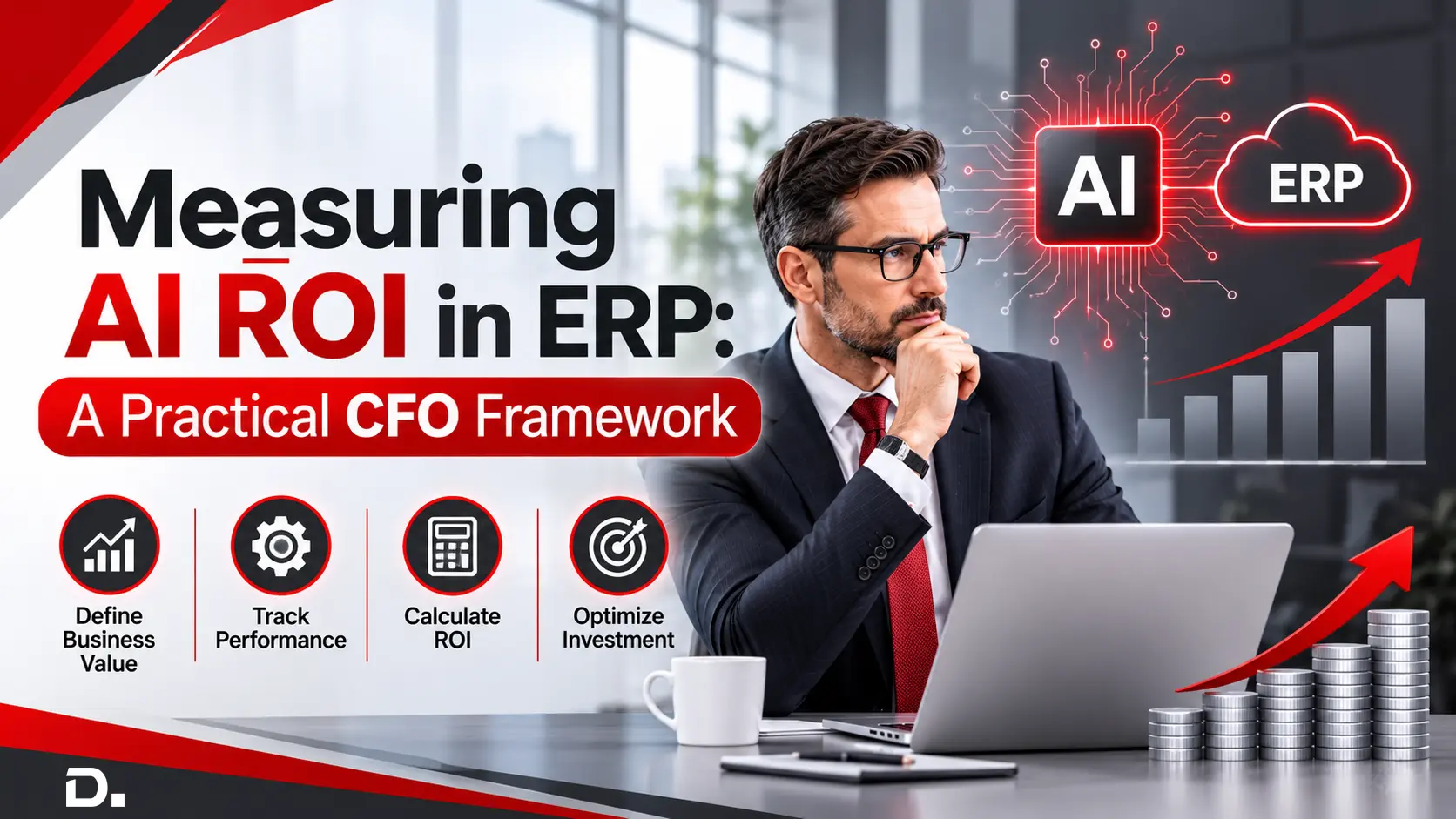
Artifical intelligence is getting beyond experiments and into core business processes. For finance leaders though the real question is not just Can AI improve an ERP environment anymore? The tougher thing is: Can the business prove what that improvement is worth in dollars?
This query is increasingly important in Australia. According to Australia's National AI Centre, 43% of Australian SMEs reported some level of AI adoption across December 2025 to February 2026 while the monthly adoption rate reached 44% in February 2026.
That places CFOs in a key spot. The next phase of Enterprise AI Adoption can’t be justified by counting Copilot licences, AI prompts, demos or pilots. The money conversation needs to shift to measurable outcomes. Think ERP Cost Reduction, AI productivity improvements, AI cost savings, faster processes, tighter financial controls, less exception handling and better use of working capital.
For organisations using platforms such as Microsoft Dynamics 365 Business Central and Dynamics 365 Finance, this gets especially relevant. Microsoft talks about agents in Business Central as autonomous AI workers that can handle defined tasks by themselves with minimal human input while still keeping the work transparent and reviewable.
So, what should a CFO guide to AI look like? It should start with value not technology.
Let’s explore!
AI ROI in ERP Is Different from Conventional Technology ROI
People usually look at aspects like merging systems, infrastructure expenses, licence streamlining, process standardisation and less manual admin work.
With AI, the math gets not exactly complex but definitely more layered.
An AI capability can create multiple value types at the same time.
First calculate benefits:
Net AI Benefit = Realised Financial Benefits + Monetised Capacity Benefits + Risk-Adjusted Benefits − Total AI Costs
Then calculate ROI:
AI ROI (%) = (Total Realised AI Benefits − Total AI Costs) ÷ Total AI Costs × 100
CFOs should avoid this double counting of the benefits. For example, the time employees saved should not be put down as both a productivity benefit and a labor cost saving unless that freed up capacity really does lead to a reduction or it prevents a future increase in expenditure.
A finance agent for example may not only remove a step entirely. It might cut down on manual intervention, push process transactions sooner, surface exceptions quicker and redirect employee capacity toward higher value activities.
So, the AI Business Case should stretch past:
“How many hours will this save?”
A better question is:
“What economic outcome changes because these hours, decisions or processes become faster more automated or more accurate?”
That’s the point where AI Business Value becomes measurable and not just an assumption.
Did You Know? ERP ROI Is Already Getting More Quantifiable
A Microsoft commissioned 2026 Forrester Total Economic Impact study modelled the possible value of Dynamics 365 Business Central using a composite organisation based on customers who were interviewed.
The study suggested more than 200% ROI over three years roughly US$460,000 in net present value, a potential six-month payback period plus more than US$680,000 in three-year risk adjusted present-value benefits. Also, Microsoft frames cloud ERP modernisation as a basis for AI-powered experiences like Copilot and intelligent agents.
These numbers should not be read as guaranteed outcomes for every Australian organisation. Instead, they show a practical notion for CFOs that ERP and AI investments can be assessed using structured financial modelling rather than broad digital transformation promises.
A Practical CFO AI Investment Framework
The idea of CFO AI Investment Framework can be organised into six stages:
- Establish the baseline
- Assess processes having AI potential
- Calculate workforce capacity gains and measure productivity
- Calculate total AI cost
- Track value realisation continuously
- Track adoption, governance and value realisation
Let’s explore the various steps:
1. Establish the ERP Baseline Before Measuring AI
Probably, the most common mistake in AI performance measurement is starting after AI has already gone live.
No baseline, then proving improvement becomes hard.
So, before you drop AI into an ERP workflow, CFOs should write down the current economics. For example :
| Area | CFO Baseline Metric | Potential AI Value Indicator |
|---|---|---|
| Accounts payable | Cost per invoice | Lower processing cost |
| Reconciliation | Hours per close | Reduced finance effort |
| Sales administration | Order-processing time | Faster order turnaround |
| Inventory | Manual planning effort | Reduced intervention |
| Reporting | Hours spent compiling data | Faster reporting |
| Collections | Time spent prioritising accounts | More focused collections activity |
| Exceptions | Manual exceptions per cycle | Higher automation rate |
| Finance operations | Manual touches per transaction | Greater straight-through processing |
Instead, you can compare, Before AI → After AI → Financial impact.
That becomes the foundation for credible Digital Transformation ROI.
2. Identify AI-Addressable Processes Not Just AI Use Cases
A CFO should try not to start with:
“Where can we deploy an AI agent?”
Swap that for something more grounded like:
“Where is operational friction quietly burning money?”
Then look for ERP processes that have traits like:
- Repetitive data entry
- High transaction volumes
- Repeated document interpretation
- Predictable decision patterns
- A lot of exceptions
- Manual reconciliation
- Repetitive customer or supplier communication
- Frequent information searches
- Duplicate checking
- Manual reporting
That shift matters because ERP automation ROI depends less on flashy AI and more on solving an economically meaningful problem.
Microsoft’s direction for Dynamics 365 illustrates the change. In September 2026, Microsoft talks about moving toward agentic ERP where people and AI collaborate to accelerate decisions, coordinate work and drive outcomes across business processes. For CFOs, the implication is big. The “unit” of measurement is gradually moving from employee productivity inside an app to outcomes across the whole process end to end.
3. Calculate Direct ERP Automation ROI
Once the process is chosen, the first layer can be direct. Say you have an accounts payable team processing invoices.
A practical calculation might look like:
Annual Labour Benefit
Transactions per year × Time saved per transaction × Loaded hourly employee cost
Illustrative example, just to show the mechanics:
- 30,000 invoices processed annually
- AI-assisted automation saves ~4 minutes per invoice on average
- loaded staff cost is AUD 48 per hour
So, the capacity value becomes:
30,000 × 4 ÷ 60 × AUD 48
= AUD 96,000 of annual capacity value
This represents AUD 96,000 in gross annual labour capacity value before adjusting for adoption, productive reuse and implementation costs.
If only 70% of the automated process is adopted and 60% of released employee capacity is productively redeployed, the monetised capacity value would be:
AUD 96,000 × 70% × 60% = AUD 40,320
This remains a productivity benefit rather than a cash saving unless it reduces or avoids actual expenditure.
If the organisation doesn’t reduce expenditure or doesn’t avoid future hiring, then the benefit can be capacity released not a real cost reduction.
So, strong AI value realisation separates very clearly:
- Realised Cost Savings
- Cost Avoidance
- Capacity/Productivity Value
- Revenue and Risk Value
4. Measure AI Productivity Gains Properly
AI Productivity Gains are often the biggest possible source of value but also the easiest thing to overstate.
Say a finance team collectively saves 120 hours every month.
That does not automatically mean 120 hours turns into financial return right away.
CFOs should ask questions like:
- What happens to those hours in practice?
- Are overtime costs actually lower?
- Can planned hiring be deferred a bit?
- Does month-end close need less manual work or is it just reshuffled?
- Are employees processing more transactions the same way or faster?
- Are finance professionals doing more high value analysis?
- Is customer or supplier response time improving?
A practical effectiveness formula could be:
Monetised Capacity Value = Hours Saved × Adoption Rate × Productive Reuse Rate × Loaded Labour Cost
Monetised capacity value should stay separate from realised cost savings unless the organisation can show an associated reduction or avoidance of expenditure. It has to be backed up with proof that costs actually lessen.
5. Add the Full Cost Side of the Equation
A credible Business Process Automation ROI calculation cannot focus only on benefits.
The CFO needs a straightforward cost view not just wishful thinking. Cover:
Technology Costs
AI consumption, ERP subscriptions, relevant Microsoft services and additional capabilities.
Implementation Costs
Configuration, development, integration, testing and deployment.
Data Readiness
Master data cleansing, process restructuring and information governance.
Change Management
Training, adoption and process redesign.
Governance
Security, access management, monitoring and human review controls.
Ongoing Optimisation
Agent adjustment, process improvements and performance monitoring.
That leads to a more meaningful equation:
AI ROI = (Realised AI Benefits − Total AI Costs) ÷ Total AI Costs × 100
And then CFOs can calculate factors like:
- Payback period,
- NPV,
- Annual benefit,
- Unit economics,
- Adoption adjusted ROI.
6. Track adoption, governance and value realisation
CFOs should keep an eye on how people really adopt the system, the AI connected costs, how the process outcomes look in everyday use, the exceptions that pop up and basically what kind of human oversight is handled. They should also watch over the achieved financial benefits, because if that slips then the whole thing can drift. Doing these reviews on a steady basis helps prevent the AI becoming uncontrolled or kind of narrow in usage and keeps it tied to the expected ROI and the organisation’s broader business aims.
The Trend CFOs Need to Watch: AI Agents Inside ERP
The biggest shift in Intelligent ERP Systems is moving from AI that just answers or responds to a user toward agents that can do work across defined processes.
Microsoft makes that distinction clearly in Business Central. Copilot teams up with the user while agents can more or less independently handle defined tasks with minimal human input and the activities stay visible, transparent and reviewable.
And that changes the whole ROI conversation:
Copilot ROI
“How much faster can an employee complete the task?”
Agentic ERP ROI
“How much of the process can operate without routine human intervention while still keeping the required oversight?”
From there you start thinking about new measures like:
- Automation rate
- Human intervention rate
- Cost per completed transaction
- Exception rate
- Correction rate
- Processing cycle time
- Transactions handled per finance FTE
- Cost per successful agent action
So, these metrics could become more relevant in the next generation of ERP automation benefits.
Business Central Example: Payables Agent
Microsoft’s Payables Agent in Dynamics 365 Business Central shows what this can look like in day-to-day operations.
The agent can keep an eye on a mailbox for vendor invoices, analyse invoice content and then create invoice drafts for a supervisor to review. Microsoft states the goal is to reduce bottlenecks in vendor invoice processing while still keeping the check and the existing Business Central approval workflows.
For a CFO, the relevant KPIs therefore are not number of AI prompts.
Instead, they are the real control like:
Invoice processing time → intervention rate → corrections required → cost per invoice → invoices processed per employee
That is exactly why AI ROI needs both a benefit model and a consumption cost model.
Industry Example: Wholesale Distribution
Suppose an Australian wholesale distributor dealing with a set of customer order enquiries, day after day, lot of emails etc. Microsoft’s Sales Order Agent for Business Central is built to do a kind of analysis on those inbound customer messages. It will read what’s been sent via email, then figure out which customer it is and what items they’re asking for, check whether stock is actually on hand, prepare a quotation and when the quote is confirmed it can turn that into a sales order.
Before:
Customer email → employee interpretation → inventory check → quote preparation → customer response → order creation
After agent adoption:
Measure-
- Human touches per order.
- Cost per sales order.
- Quote turnaround time.
- Correction/exception rate.
- Employee capacity released.
Dynamics 365 Finance: Measuring AI Beyond Business Central
The same framework works for bigger organisations that use Dynamics 365 Finance. Microsoft’s Account Reconciliation feature can reconcile the general ledger with AP, AR, tax and also the bank sub ledgers and where the Copilot agent is turned on, the system may suggest likely actions for reconciliation exceptions and an analysis and justification.
So, that ends up giving measurable CFO indicators like:
- Exceptions requiring intervention.
- Reconciliation effort.
- Time spent investigating exceptions.
- Percentage automatically reconciled.
- Close related workload.
The main point is that companies should set up their own baseline first before they start crediting financial gains to AI alone.
Build an AI ROI Scorecard
A practical CFO dashboard should combine financial, operational, employee and risk indicators:
| Dimension | Metrics to Track |
|---|---|
| Financial | ROI, NPV, payback, cost avoidance |
| Automation | Straight-through processing, human intervention |
| Productivity | Hours released, transactions per employee |
| Process | Cycle time, exceptions, rework |
| Adoption | Active usage, eligible-process coverage |
| Quality | Correction rate, error rate |
| Commercial | Quote/order turnaround, revenue-impact indicators |
| Governance | AI exceptions, approvals, human review |
| Cost | AI consumption, support and optimisation |
From AI ROI in ERP to AI Value Realisation
This is where a lot of AI programmes may eventually succeed or fail depending on what happens next. Buying technology creates capability. It does not automatically create value. The journey is more like: ERP Foundation → Clean Data → Defined Process → AI/Copilot/Agent → Adoption → Measured Outcome → Financial Value.
Weak data can weaken AI. Poor processes can become poorly automated processes. Low adoption can make a technically successful project financially unsuccessful too and excessive customisation can make future change more difficult.
This is why an AI Investment Framework should be inside the broader ERP roadmap rather than run as a separate, isolated innovation effort.
Five Questions Every CFO Should Ask Before Approving ERP AI
1. What exact process economics will budge?
If the answer is just “productivity”, the business rationale needs more in-depth analysis.
2. What baseline do we actually have?
Track cost, cycle time, volume, mistakes and human intervention before the rollout.
3. Are the benefits cashable or mostly theoretical?
Split real cost takeout from freed capacity.
4. What is the full investment price end-to-end?
Don’t forget technology, implementation, data preparation, training, governance and continuing optimisation.
5. How will we prove the value after go-live?
Name the KPI owner, set the reporting cadence and agree on the benefit-realisation approach before anything ships.
These five questions help turn an ERP AI pitch into a CFO-ready business case.
AI ROI Should Be Managed as a Portfolio
AI ROI in ERP should be handled like a portfolio and CFOs might want to think about it too. There’s another important shift they should consider and it’s easy to miss if you keep looking at the businesses’ whole AI control as one investment.
Instead, treat each AI use case more like a managed set of investments not one AI strategy.
For instance:
- Tier 1 : Quick win automation
- Tier 2 : Decision augmentation
- Tier 3 : Agentic processes
- Tier 4 : Strategic transformation
With this kind of approach, companies can line up opportunities using a simple comparison:
Value × Feasibility × Risk × Time-to-Value
Then a CFO can direct AI spending toward the use cases with stronger, more measurable economics, and not just the ones that sound impressive in a meeting.
Turning ERP AI Investment into Measurable Business Value with Dynamics Square
For Australian businesses, AI ROI in ERP should always end up linking new ideas with tangible financial and operational outcomes. Microsoft Dynamics 365 Business Central, Dynamics 365 Finance and the broader Microsoft ecosystem are bringing Copilot and agent capabilities much closer to the day-to-day workflows where businesses create cost control, capacity and operational value. Business Central already frames AI across finance, inventory and supply chain, sales, customer service and other routine processes.
At Dynamics Square, we support Australian businesses to implement and streamline Microsoft Dynamics 365 solutions like Dynamics 365 Business Central and other Dynamics 365 apps and the kind of business process and ERP foundations needed to enable modern automation and AI-led transformation.
Conclusion
Whether your focus is ERP Cost Reduction, ERP Automation ROI, AI Productivity Gains, Digital Transformation ROI, better financial visibility or building a base for agent-driven processes, the place to start is still the same around below factors:
- Define the business outcome.
- Lock in the baseline.
- Modernise the process.
- Measure the value that actually gets realised.
Because the real competitive edge won’t show up just by having AI inside ERP. It will show up when you know specifically what that AI ROI in ERP is worth to the business.
Talk to Dynamics Square
Ready to build an intelligent, AI-ready ERP environment?
Get in touch with Dynamics Square to discuss Microsoft Dynamics 365 Business Central and Dynamics 365 implementation options for your Australian organisation and turn ERP automation into measurable business value.

Witness a Scalable Transformation
Experience real-time synchronisation and flexibility with a consistent view across your business.
Disclaimer– “All data and information provided on this blog is for informational purposes only. Dynamics Square / MPG Business Information Systems Pvt. Ltd. makes no representations as to accuracy, completeness, currentness, suitability, or validity of any information on this site and will not be liable for any errors, omissions, or delays in this information or any losses, injuries, or damages arising from its display or use.”


