

Table of Content
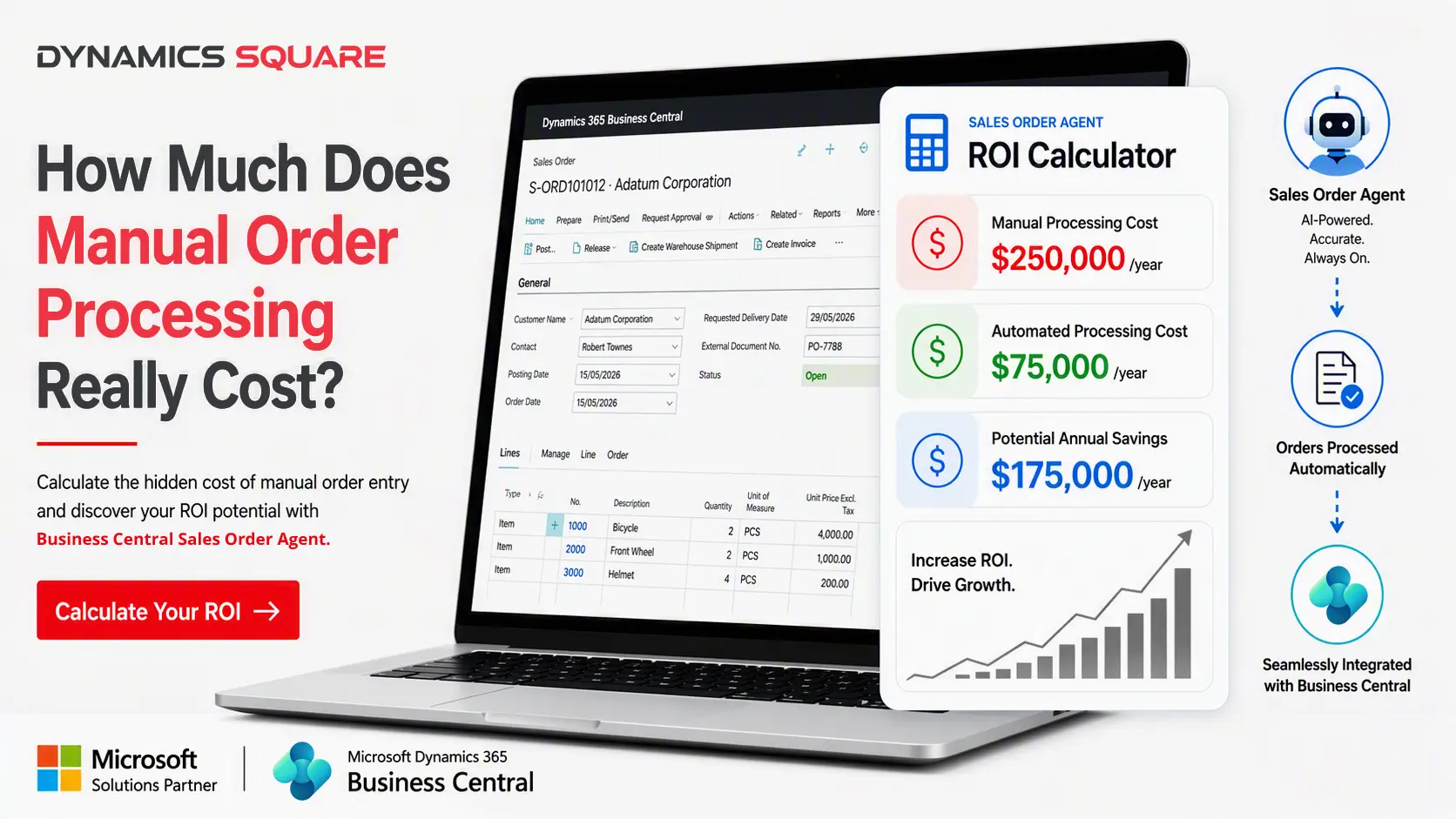
For many Australian businesses, sales order processing starts with an inbox. A customer sends a purchase order by email and an employee opens the attachment, identifies the customer, checks the product details, then copies quantities and prices, and enters everything into Microsoft Dynamics 365 Business Central. If something is missing or it doesn't match the order, they stop, investigate and then follow up.
Once the order volumes increase, this repetitive data entry can consume valuable employee time, introduce manual data entry errors and drive up the manual order processing cost.
The good news is that businesses using Business Central can rethink this whole workflow with AI-powered sales order automation. A Sales Order Agent can help automate those repetitive order processing tasks, so employees can focus on exceptions and decisions rather than copying information from one place to another. Yet, there’s still the question:
Is automation actually worth the investment?
The answer starts with understanding what manual order processing really costs.
What Is the Real Cost of Manual Order Processing?
The real cost of manual order processing goes beyond labour. It also affects accuracy, productivity and overall business efficiency. Several hidden costs that can hinder business growth are:
Manual Labour Cost
The most visible part of manual order processing cost is the employee time. If an employee spends part of every day entering and checking sales orders, the business is effectively paying for that processing capacity. The more complex an order is, the more time may be required to complete it.
Rework and Correction Cost
Manual processing also leaves room for mistakes. If there is a wrong SKU, quantity, price, customer detail or shipping address, extra work follows. Someone may have to investigate the issue, go back and correct the sales order and then communicate with another team or resolve the trouble after fulfilment has already started.
Opportunity Costs of Manual Order Entry
There is another cost that is harder to put on a spreadsheet and that is opportunity cost.
When skilled employees spend hours doing repetitive order entry, they end up with less time for customer service, account management, exception handling, process improvement and other higher value activities.
Rather than replacing employees, automation gives them more time for tasks that actually need human judgement.
Why Does Manual Order Processing Become Expensive as You Grow?
Manual order processing may look feasible when order volumes are low. But when the business grows, the same approach becomes challenging. Here’s how manual order processing becomes expensive for growing businesses:
- Repetitive order entry consumes valuable time
- Manual errors lead to rework
- Higher order volumes increase administrative burden
- Scaling the business often requires additional headcount
What Is a Sales Order Agent for Business Central?
A Sales Order Agent is an AI-powered agent for automating the repetitive operations in the sales order workflow inside Business Central. Instead of employees manually transferring information from customer purchase orders into the ERP, this agent can assist with interpreting the incoming order information, pull out the important details, validate it all, and push the process along.
Microsoft’s Sales Order Agent monitors a designated Microsoft 365 mailbox, reads customer emails and their PDF or image attachments, identifies the customer and items, checks availability and creates a sales quote first. The quote can then be converted into a sales order, with people reviewing key steps along the way.
Sales Order Agent vs Manual Order Processing
The difference between a Sales Order Agent and manual order processing isn’t just AI versus people. It is about how the work gets split up, who does what and when it’s happening.
Below is tabular representation of manual order processing vs sales order agent:
| Aspect | Manual Order Processing | Sales Order Agent |
| Order Capture | Employee reviews incoming orders | AI assists with order capture |
| Data Entry | Information entered manually | Automated order entry, with human review |
| Validation | Employee checks information | Automated checks can identify issues |
| Exceptions | Employee discovers and resolves issues | Exceptions can be flagged for review |
| Processing Speed | Depends on employee availability | Routine processing can be accelerated |
| Scalability | Often requires additional capacity | More processing can be automated |
| Human Involvement | High for routine tasks | Focused on exceptions and decisions |
Calculating Your Manual Order Processing Cost
Before considering automation, it’s better to establish a baseline first. You do not really need a complicated financial model. A few practical metrics can give you a workable estimate of what’s happening:
Measure Monthly Order Volume
Start by figuring out roughly how many sales orders your team actually processes in a typical month from start to finish. Also include the ones coming in from every relevant channel especially the batches that need manual intervention.
Calculate Average Handling Time per Order
Wok out how much employee time is needed to process an order. Don’t just look at the minutes spent typing. Include document review, customer or product lookups, the validation steps, any corrections and other day-to-day activities too.
Determine Employee Cost per Hour
Use a fully loaded hourly employee cost (salary plus super, leave, payroll tax and overheads), instead of salary only. This gives you a more realistic estimate for the labour part of your manual order processing cost.
Account for Errors, Rework and Exceptions
Next, try to estimate how much extra time gets spent correcting the orders, fixing those missing details, dealing with the exceptions and then doing follow-ups with customers. These unseen activities can have a real impact on the overall cost of manual order entry.
Calculate Your Cost per Order
Once you have your order volume, the handling time, the employee cost and the rework costs, you can estimate the average cost related to processing each order. It gives you a baseline to look at manual vs automated workflows so you can compare them without too much guesswork.
Manual Order Processing Cost Formula
Manual Order Processing Cost = Order Volume × Average Processing Time (in hours) × Hourly Labour Cost + Rework and Error Costs
The exact result will vary by business, but the purpose is to understand where your processing effort is going. Divide the total by order volume to get your cost per order.
Sales Order Automation ROI Calculator
Once you have figured out your current costs, you can start to see what the possible return could be from automation. Here’s a step-by-step way to calculate sales order automation ROI:
Estimate Your Current Annual Processing Cost
Take your monthly processing cost and annualise it.
This gives a baseline you can compare an automated workflow against.
Calculate Potential Automation Savings
Estimate where a Sales Order Agent could reduce manual work: repetitive entry, rework caused by missing or incorrect details, and delays in getting orders processed.
All those benefits usually point to potential cost savings from automation.
Determine Payback Period and ROI
Your automation investment can then be matched up with what you expect to save. For a Sales Order Agent, automation cost includes Copilot Credits (the agent is billed on consumption), implementation and the time staff still spend reviewing agent steps.
A basic formula goes like:
ROI = (Annual Savings − Annual Automation Cost) ÷ Annual Automation Cost × 100
You can also work out payback by pitting the implementation cost against the expected monthly savings.
Payback Period (Months) = Implementation Cost ÷ Monthly Net Savings
How Does AI-Order Processing Fits Into Business Central?
AI gets way more useful when it’s linked up to the real business process in these ways:
Capturing Data from Emails and Purchase Orders
Customers often send purchase orders as email text or PDF attachments, and the formatting can be messy. Microsoft’s Sales Order Agent reads the email body plus PDF, PNG and JPG attachments, and AI can help make sense of those different inputs and sort out the details for further processing.
Extracting Customer, Product, and Order Information
Relevant information includes customer details, product or SKU information, quantities, addresses and other order fields. The point is to take raw or unstructured order information and turn it into structured sales order data that can actually be worked with.
Validating Order Details Automatically
Validation can help spot missing or mismatched details before the order progresses. That tends to lower the chances of mistakes turning into downstream fulfilment problems.
Managing Exceptions Before Processing
When the information doesn’t really line up with the expected conditions, the workflow can end up flagging the matter for a human review.
Creating Sales Quotes and Orders in Business Central
The final goal is not just pulling information from a document. The real value shows up when that information gets moved into the Business Central sales order workflow so the order can keep going through the usual business process. The Sales Order Agent creates a sales quote first, then converts it into a sales order once it’s confirmed.
When Should Business Central Users Consider a Sales Order Agent?
Not every business needs sales order automation, but a few signs make it clear that the manual way is starting to feel inefficient:
Your Team Handles Orders Mostly Through Email
If purchase orders keep showing up in shared inboxes, people can end up spending a lot of time sorting, checking and then transferring the details somewhere else.
Purchase Orders Come in as PDFs or Scanned Images
When the workflow is mostly document-heavy, it’s usually a good match for AI-assisted processing because employees otherwise have to read, interpret and then retype.
Employees Spend a Huge Part of the Day on Data Entry
If your most capable team members spend a substantial part of the day entering sales orders, automation might give back time that can be used for other work.
Manual Errors Start Turning into Bottlenecks
If you see repeat corrections, customer complaints, or fulfilment hiccups, that often means manual input is quietly creating extra downstream costs.
Order Volumes Keep Climbing
More sales is great but it doesn’t always mean the admin load should rise the same way.
A sales order agent can help a business grow without the process falling behind.
Processing Backlogs Keep Increasing
If orders regularly get queued in an inbox waiting for someone to manually process them, then a Sales Order Agent may be worth considering.
How to Measure Order Processing Efficiency After Automation?
Measuring order processing efficiency after automation needs real operational metrics. Ideally you want to look at what actually happens to orders once they hit your system and how much effort is really saved.
Average Order Processing Time
Watch the duration from when an order is received to the point where it is fully processed, basically receipt to processing.
Human Touch Time per Order
This uncovers whether automation is reducing manual involvement or not. Businesses can see how much human attention is still required per order.
Order Entry Error Rate
Compare error rates before automation and after automation.
Orders Processed per Employee
If output rises per person, the team is likely working more efficiently.
Percentage of Orders Processed Without Manual Correction
Get a direct view of how much of the workflow automation is truly handling, rather than only partially supporting.
Copilot Credits per Order
Track how many Copilot Credits each order uses so the cost side of your ROI stays accurate as volumes change.
Business Central + Sales Order Agent: Building a Scalable Order Management Process
The idea isn’t really to make yet another disconnected tool. It’s to make the workflow around your existing Business Central environment feel smoother not totally separate.
Here’s why Business Central and a Sales Order Agent work well together:
Automating Repetitive Sales Order Tasks
A Sales Order Agent can pick up the repetitive activities that used to need a lot of manual attention from people.
Connecting AI to Existing Business Central Workflows
When AI gets inserted into the ERP process that you already run, companies can get better efficiency without having to treat order automation like a completely independent operation.
Scaling Operations Without Scaling Manual Work
As order volumes go up, automation can take on extra processing load, so you don’t have to grow the same level of repetitive administrative work at the same time.
Improving End-to-End Order Management Automation
With order management automation and sales order workflow automation, organisations can set up a more connected process from the incoming customer request to sales order creation and the whole exception handling part.
Industry-Specific Example: Wholesale Distribution
Suppose an Australian wholesale distributor tends to get customer purchase orders mostly by email and as PDF attachments too. Then the employees manually look through each order, match SKUs, input quantities and prices and later create sales orders in Business Central.
But as order volumes increase, that means more repetitive work, processing delays and small data entry errors.
A Sales Order Agent can help with automation for order capture, pull out customer and product information, check whether the details are valid and prepare sales quotes and orders in Business Central, while sending exceptions back to the team.
So, what are the expected outcomes? Less manual work, faster turnaround, fewer mistakes and overall better order processing efficiency.
Why Choose Dynamics Square for Sales Order Automation?
Dynamics Square helps Australian businesses get more out of Microsoft Dynamics 365 Business Central where business operations can be streamlined and automated appropriately.
If you’re in a situation where you want to cut down on the manual order processing cost, speed up order handling efficiency or even try AI-driven sales order automation, Dynamics Square can help look at the current workflow and figure out where a Sales Order Agent could actually add value.
The approach is practical: start by understanding what you already do today, find the repetitive tasks, measure the potential savings and then shape an automation strategy that matches your Business Central setup efficiently.
Conclusion
As discussed above, manual order processing cost isn’t only about the employee data entry part. It may include rework, mistakes, delays, administrative overhead and the opportunity cost of having employees spend their time on repetitive things.
A Sales Order Agent offers a different style of approach. With AI-order processing, automated data capture, validation and exception handling, businesses running Business Central can reduce repetitive manual work while still keeping humans involved where human judgement actually matters.
The right question isn’t just:
“How much does automation cost?”
The better question is:
“How much is our current manual order process costing us and how much of that work can we automate?”
Once you know the baseline, you can build a better case for sales order processing automation, estimate your potential sales order automation ROI and figure out if a Sales Order Agent is the right next step for your Business Central environment.
Ready to Automate Sales Order Processing?
Connect with Dynamics Square today to reduce manual order processing costs, improve order handling efficiency and unlock AI-powered sales order automation with Business Central.


Witness a scalable transformation
Experience real-time synchronisation and flexibility with a consistent view across your business.
Disclaimer– “All data and information provided on this blog is for informational purposes only. Dynamics Square / MPG Business Information Systems Pvt. Ltd. makes no representations as to accuracy, completeness, currentness, suitability, or validity of any information on this site and will not be liable for any errors, omissions, or delays in this information or any losses, injuries, or damages arising from its display or use.”


Related Posts & Blogs
Contemporary businesses are changing at a rate of knots using innovative business solutions to stay afloat. Know more about industry trends, challenges and opportunities in detail after going through an array of exciting blogs.
Read the blogs penned by industry-experts who know the nerve of the business to start your digital transformation journey.
Discover how Business Central Sales Order Agent automates sales order processing, including key features, ...

Automate warehouse operations with Business Central to improve inventory accuracy, streamline pick-pack-ship p...
Get step-by-step guidance on successful Dynamics 365 implementation in our easy-to-follow guide....

Supply Chain Management software provides a powerful toolkit for improving efficiency, reducing costs, and ult...