

Table of Content
Going live with an ERP system is a major implementation milestone however real operational stability is only proven after deployment. Once live transactions, integrations, financial postings and supply chain steps start running at full business scale, issues such as integration, latency, data inconsistencies, permission gaps and even batch failures.
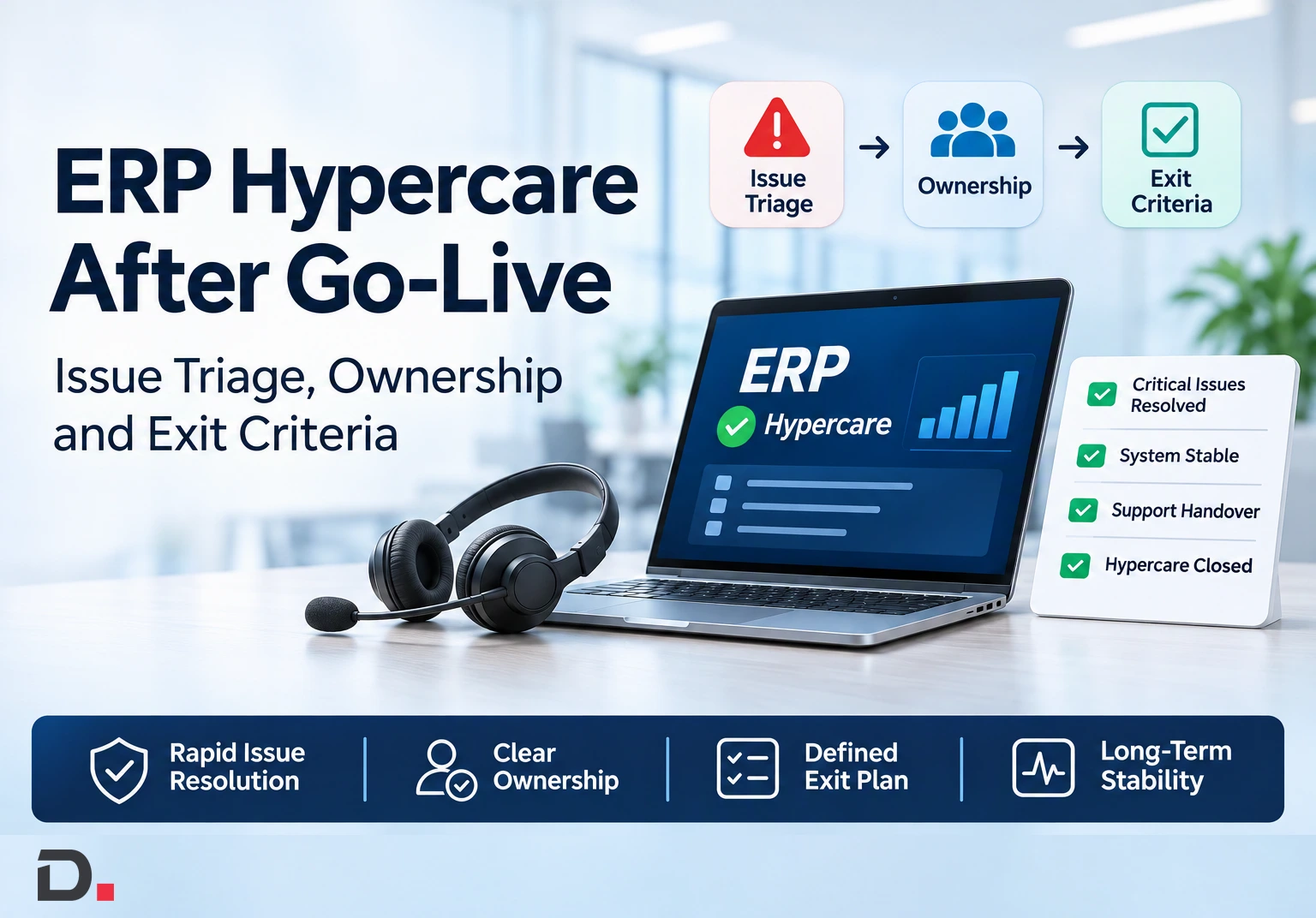
This is where ERP hypercare matters. A structured hypercare period connects together incident triage, clear ownership, a defined service scope, continuous monitoring, proper handover and robust exit criteria so the production environment can stabilise. For Microsoft Dynamics 365 organisations, the appropriate ERP go-live support ensures that technical availability turns into dependable end to end business operations and a controlled shift towards ongoing Dynamics 365 support.
Who Is This Blog For?
This blog is particularly relevant for Australian organisations that are:
- Businesses Preparing for ERP Go-Live
- Organisations Recently Live on Microsoft Dynamics 365
- IT and ERP Leaders
- Finance and Operations Teams
- ERP Project and Program Managers
- Application and Dynamics 365 Support Teams
- Manufacturing and Distribution Businesses
- Growing Australian Businesses
- Organisations Transitioning from Hypercare to BAU Support
Why ERP Hypercare Starts Where Implementation Ends
Before go-live, ERP delivery works inside a controlled project environment. As soon as the system is in production that controlled environment transitions into live operational conditions. The environment then processes real transactions, actual users, live integrations and all those live business dependencies that were only assumptions before. ERP hypercare is the operational control framework you need to handle that handover.
- Pre-Go-Live Operates Under Project Governance
- Go-Live Introduces Real Operational Conditions
- Go-Live Readiness Is Not Operational Stability
- Dynamics 365 Support Moves into Operational Mode
ERP success also depends on leadership, process discipline and the organisational alignment which is established before go-live. For a broader perspective on those foundations, it is important to check how the leadership direction is established and how the everyday routines are maintained as well as that internal alignment that shared strategic direction.
Read the full blog here: ERP Success in Australia: Leadership & Process Discipline Over Technology
ERP Hypercare Is an Operating Model, Not Just Additional Support
ERP hypercare is an operating model not just extended consulting coverage after go-live. It’s establishes a short-lived, high-control way of operating framework around the ERP environment so teams can stabilise processes, reduce production risk and keep accountability clearly defined.
In a mature operating model, a mature hypercare model should define what it covers and how it operates in real day-to-day terms including:
- Service scope and coverage
- Incident classification and prioritisation
- Clear ownership and escalation
- Response and restoration targets
- Monitoring and telemetry
- Defect vs enhancement classification
- Change and deployment governance
- Knowledge transfer and handover
- Measurable exit criteria
With these governance controls in place, post-go-live problems don’t just turn into an undefined ERP issue without defined ownership. Instead, they become classified, traceable and properly handled work with clear responsibilities from day one.
Core Operational Controls for Effective ERP Hypercare
The following core controls give a structured framework for managing ERP hypercare beginning with business impact driven incident triage and ownership then moving into production governance, operational handover and those measurable exit criteria:
1. Align Hypercare With the Dynamics 365 Lifecycle
ERP hypercare should align with the broader Dynamics 365 implementation lifecycle beyond the immediate go-live period. Microsoft Success by Design goes from the Prepare phase where readiness gets checked and then into Operate which is more about the solution’s long-term health and long-term operational health.
Hypercare acts like an operational bridge between those stages with incident controls, ongoing monitoring, clear support ownership and operational handover. And Microsoft’s go-live guidance also suggests having a production support plan ready before you deploy which means you should define post-go-live support design before the system even reaches production.
2. Build Incident Triage Around Business Impact
Incident triage should begin with impact more than with how easy or the technical complexity of the failure.
A small configuration issue blocking shipment processing across an entire warehouse may warrant a higher priority than some technically complicated reporting problem that only affects a single user.
In Dynamics 365 Business Central, post go-live hypercare should validate the critical posting processes, job queues, integrations, access permissions and AL extensions so to spot operational issues before they start to affect wider business process lines.
You can use a practical classification approach as follows:
| Priority | Typical Business Impact | Example | Initial Response Model |
|---|---|---|---|
| P1 – Critical | Core operation stopped, major financial or compliance exposure, no viable workaround | Production posting unavailable across a plant | Immediate command structure, technical and functional owners engaged |
| P2 – High | Material process degradation affecting multiple users or locations | Warehouse interface intermittently failing | Rapid triage, workaround assessment and root-cause investigation |
| P3 – Medium | Limited operational effect with an available workaround | Approval workflow routing incorrectly for one role | Planned functional or configuration remediation |
| P4 – Low | Cosmetic, minor usability issue or non-critical request | Report layout or field-display adjustment | Backlog assessment or standard support |
Severity definitions should be contractually and operationally agreed rather than improvised during an outage.
3. Triage the Full Dependency Chain
For a Dynamics 365 environment, the investigation should go past the ERP app itself. A real production incident can involve multiple areas such as:
- Application layer
- Extension layer
- Integration layer
- Data layer
- Security layer
- Operational layer
So, the triage step should identify which layer is owning the failure before technical resources start changing anything in the production environment.
4. Define Incident Ownership Before Go-Live
Hypercare needs predefined ownership across business processes, functional setup, technical components and platform services. Even if complex incidents require involvement from multiple teams, there should be one responsible incident owner to coordinate investigation, status communication and final closure. With clear ownership, escalation delays are less likely and there’s less confusion when a critical production incident occurs.
During hypercare the critical governance question often emerges:
“Who owns this?”
Ownership should already be predefined.
A well-defined support matrix typically points to four categories of ownership:
- Business Process Ownership
- Functional Ownership
- Technical Ownership
- Platform and Service Ownership
For instance, an Australian distributor dealing with allocation troubles in Dynamics 365 Supply Chain Management might need the warehouse owner or the supply chain owner to confirm that orders can be manually released.
5. Define ERP Hypercare Service Scope
ERP hypercare should define in advance what is explicitly in scope and hat is excluded. Production defects, integration failures, configuration issues, security problems and critical process failures tend to stay in scope. Meanwhile any new features or larger process changes go to the enhancement backlog instead. Those clear service boundaries prevent scope creep and they keep hypercare on track for production stabilisation rather than turning it into ongoing change work.
6. Establish Industry-Specific Control Points
Generic ticket counts are misleading when it comes to ERP stability. Hypercare numbers should match the actual processes that matter most for each industry.
Manufacturing
Consider a manufacturer running Dynamics 365 Supply Chain Management. In production operations, the critical control points are often more specific like:
- Production-order creation and release
- BOM and route correctness
- Material consumption accuracy
- Capacity reservations
- Production posting
- Quality orders
- Inventory dimensions
- Costing
- Shop-floor integrations
Now, suppose production orders are arriving in Dynamics 365 successfully. But the material-consumption messages coming from a manufacturing execution integration, fail intermittently. The system can look okay appear operational at application level, users might say operations appear normal but inventory accuracy starts progressively deteriorating. So, hypercare here should track whether the transaction fully completes across the end-to-end transaction chain not only whether the application remains technically available.
7. Australian Financial Operations
For organisations running in Australia, a finance-focused hypercare phase should also validate the execution of GST related steps, BAS preparation workflows, bank reconciliation processes, payment file creation, financial dimensions and the links to payroll or specialised tax applications where those have been set up already.
The key point here is hypercare success needs to be measured against the organisation’s real-world operational control points not just a generic checklist.
8. Control Production Fixes
Hypercare creates urgency but rapid remediation should not result in uncontrolled production changes. Every fix should follow a traceable path from incident diagnosis and impact assessment to testing, approval, controlled deployment and validation. In Dynamics 365 environments, configuration, data, code, security and integration changes carry different regression risks and should therefore follow appropriate change controls. Even emergency fixes may use accelerated approval but they should retain testing, ownership and deployment traceability to prevent one critical incident from creating additional production defects.
9. Transfer Operational Knowledge During Handover
A successful handover needs to hand over operational knowledge not just open tickets. Support teams should receive more than documented procedures. They require solution architecture context, ownership of integrations, the full deployment procedure and the known problems list and the monitoring controls along with SLAs, clear escalation paths and those troubleshooting runbooks.
Ideally, the team also joins the incident handling during hypercare even if it requires repeated operational participation so the know-how moves via practical, everyday operations rather than documentation alone. That way the transition to normal business-as-usual support is smoother.
10. Define Hypercare Exit Criteria Before Go-Live
Hypercare should conclude based on real operational stability not some fixed timeline. Exit criteria may include: zero unresolved P1 incidents, controlled P2 problems, stable integrations, success on the critical business cycles, finished reconciliations and knowledge transfer signed off. Once performance trends demonstrate consistent stability and the last few remaining open items can move into business-as-usual support, then the ERP setup is ready to exit hypercare.
What Australian Businesses Should Validate During ERP Hypercare
During ERP hypercare, Australian businesses should validate critical operational and financial processes before transitioning to BAU support:
| Hypercare Area | What to Validate | Exit Readiness Indicator |
|---|---|---|
| Financial Processing | Financial postings, period-end activities and reconciliations | Transactions reconcile without material exceptions |
| GST and BAS Processes | Configured GST treatments and BAS-related workflows | Tax processes execute as designed |
| Bank Reconciliation | Bank feeds, matching, payments and reconciliation | Reconciliations complete accurately |
| Supply Chain and Warehousing | Inventory movements, order processing and fulfilment | Critical transactions complete without recurring failures |
| Integrations | Failed, delayed or duplicated transactions | Critical interfaces operate consistently |
| Security and Access | Production roles, permissions and segregation of responsibilities | Access aligns with operational responsibilities |
| Business-Critical Reporting | Financial and operational reports against source transactions | Reports reconcile with underlying ERP data |
Moving From Hypercare to BAU Dynamics 365 Support
After the stability targets stability targets are achieved, the ERP hypercare work should slide into ongoing Dynamics 365 support via a deliberate handover not just an abrupt support transition.
- Monitoring: Continuously monitor integrations and those business-critical transactions.
- Problem Management: Take the recurring incidents and route them toward root-cause analysis and permanent remediation.
- Release Governance: Keep controlled change, testing and deployment practices in place.
- Performance Management: Revisit system performance, service levels and any operational risks that are emerging.
- Continuous Optimisation: Treat enhancements and improvements as a steady stream using the standard change backlog to prioritise properly.
So, the ERP post go-live support shifts from short-term stabilisation into longer-term platform stewardship and continuous optimisation.
How Dynamics Square Supports Post-Go-Live Dynamics 365 Environments
We at Dynamics Square support the full post-deployment lifecycle for Microsoft Dynamics 365 connecting ERP hypercare, incident management, integration support, change governance and ongoing optimisation.
Our approach is built around three key priorities, first stabilise the most critical business processes, then establish accountable support ownership and finally transition unresolved requirements into a governed support and enhancement model. In practice, this helps businesses reduce dependency on implementation resources towards a more resilient, maintainable and scalable Dynamics 365 environment.
A capable Dynamics 365 partner should support the whole ERP cycle from doing the implementation and hypercare through ongoing optimisation and platform governance. Explore why Dynamics Square is sort of among the leading Microsoft partners in NSW so you can get more insight into our Dynamics 365 expertise and support approach.
Read here: Top Microsoft Partners in NSW
Final Thoughts
ERP go-live starts the whole operationalisation, it is not the finish line of the implementation. With a structured ERP hypercare setup, organisations can stabilise production more rapidly through disciplined incident triage, clear ownership, controlled remediation, a structured operational handover and exit criteria measurable. This maintains implementation momentum but also get the appropriate operational controls.
For Microsoft Dynamics 365 environments, having a well-defined ERP post go-live support model, gives the governance and technical oversight required to move confidently from implementation into business-as-usual operations.
Need support after Dynamics 365 go-live? Connect with Dynamics Square strengthen incident management, system monitoring, integrations and ongoing Dynamics 365 support while also building a more stable, scalable ERP operating environment.
Frequently Asked Questions
1. What is ERP hypercare after go-live?
ERP hypercare is a structured stabilisation period immediately after ERP go-live. It provides enhanced visibility, incident triage, clear responsibilities and rapid remediation while the live production environment transitions into a normal business as usual support mode.
2. How long should ERP hypercare last?
There is no single standard duration. In practice, hypercare should run until the agreed exit criteria are achieved such as stable integrations, controlled P1/P2 incidents, reconciliations that are completed, dependable critical processes and a proper completed support handover.
3. What should be included in ERP post go-live support?
ERP post go-live support should include production incidents, configuration issues, integration failures, security concerns, monitoring activities, problem management and knowledge transfer. Any new functionality or significant process changes should typically move into a governed enhancement backlog instead of being treated as hypercare.
4. Who should own incidents during ERP hypercare?
Each critical incident should have one accountable owner who coordinates the investigation, handles communication and oversees resolution and closure. Depending on the scenario, the scope may extend across business process owners, functional consultants, technical teams and platform administrators too.

Witness a scalable transformation
Experience real-time synchronisation and flexibility with a consistent view across your business.
Disclaimer– “All data and information provided on this blog is for informational purposes only. Dynamics Square / MPG Business Information Systems Pvt. Ltd. makes no representations as to accuracy, completeness, currentness, suitability, or validity of any information on this site and will not be liable for any errors, omissions, or delays in this information or any losses, injuries, or damages arising from its display or use.”


