

Table of Content
Do you know your ERP migration can turn into more than a technology upgrade? Let’s know how. As it is not only about updating systems, but also acts as a catalyst for better decisions, smarter automation, and long-lasting business growth.
The main highlight of choosing the right plan & an experienced Microsoft implementation partner for legacy to Business Central migration & more structured business operation handling.
Migrating a legacy ERP system is probably one of those biggest choices a growing business can make, and it feels more important than people expect. Whether you are running Microsoft Dynamics NAV, Dynamics GP, Sage, QuickBooks, or some other on-premises setup, the real point usually isn’t swapping the software. It is about building a sturdier base for growth, smarter automation, practical AI, and better decisions.
Still, a lot of companies end up waiting, because they worry about downtime, possible data loss, all the day-to-day disruption, or the sheer complexity of moving years of historical records that were collected the hard way.
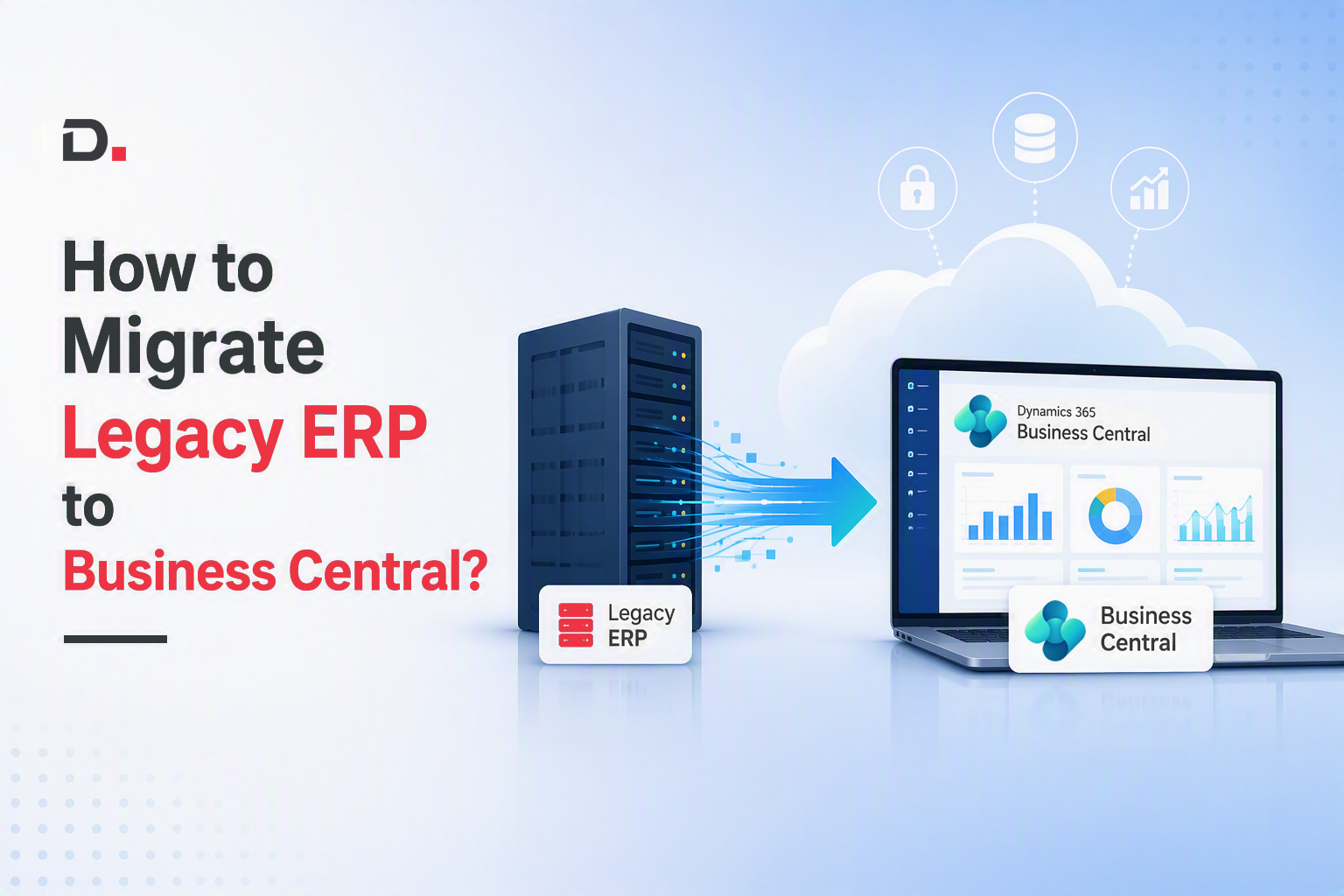
In this guide, we will walk through how to migrate from a legacy ERP to Business Central while keeping your normal operations running.
Keep reading, free resources inside*
What Makes an ERP "Legacy"?
A lot of businesses think that legacy ERP means “old software”.
No, an ERP shifts into legacy status the moment it starts getting in the way of growth, instead of helping it along. Like it’s still working but it’s slowing everything down.
Now, such legacy ERPs could be:
- Microsoft Dynamics NAV
- Dynamics GP
- Dynamics SL
- Sage
- MYOB
- QuickBooks Enterprise
- Any heavily customised on-premise ERP or more
So, age of the ERP isn’t the real issue. Business agility is the critical area to manage.
If launching a new product, adding a warehouse, creating a subsidiary, updating an approval workflow, or rolling out an AI capability takes months instead of days, then your ERP is already acting like a business bottleneck, even if no one has said it out loud yet.
A Comparative Flow: On-Premise vs Cloud ERP
| Key Area | Cloud ERP | On-Premise ERP |
| Deployment | Hosted on cloud | Installed locally |
| Accessibility | Anywhere, anytime | Limited to office network |
| Cost | Subscription-based | High upfront investment |
| Maintenance | Vendor-managed | In-house IT required |
| Scalability | Scales easily with business | Limited & may require system rebuilds |
| Updates | Automatic | Manual |
| Security | Advanced cloud security | Depends on internal setup |
See What Microsoft Has Announced Recently
Migration Path for Dynamics NAV, GP & SL Customers
Microsoft has encouraged customers who use Dynamics NAV, Dynamics GP, and Dynamics SL to begin planning their move over to Dynamics 365 Business Central.
Important Fact
With a few important lifecycle milestones getting closer, including Dynamics NAV subscription renewals that end by April 2031 now is the time to evaluate cloud ERP strategies for better business excellence & digital transformation.
Business Central offers a modern, AI-powered ERP platform, with continuous updates, stronger protections, smooth Microsoft 365 integration, and less IT complexity overall. Microsoft also suggests working with a trusted partner to review your current business operations and then map out an orderly migration plan.
Read the full update here: Explore migration options for Microsoft Dynamics NAV, Microsoft Dynamics GP, and Microsoft Dynamics SL customers - Microsoft Dynamics 365 Blog
Download the free whitepaper on GP to BC Migration: GP to Dynamics 365 Business Central: SMBs Migration Guide | Whitepaper
The Costs You Don't See Are Often the Ones Affecting Your Business the Most
Most migration conversations end up stuck on licensing. However, the real expenses show up somewhere else.
Top Five Hidden Costs of Staying on a Legacy ERP
1. Decision Delays
Leaders get summaries days after the business moment happened already.
At that point, the window closes, and the opportunity is gone.
2. Manual Reconciliation
Finance teams burn through countless hours trying to line up numbers across several systems because details do not travel on their own.
No automation, matching.
3. Shadow IT
People start building their own spreadsheets because they no longer trust what the ERP reports say.
Then, gradually, Excel becomes the actual ERP.
4. Integration Debt
Each time you add a new CRM, an online store platform, payroll system, or warehouse application, you end up paying for custom integrations. Not once, it piles up.
5. AI Becomes Hard to Do
Modern AI struggles when the data is fragmented, disconnected, or inconsistently formatted.
Without a modern ERP as the base, AI projects often stall early, or quietly fail before they even really begin.
Want to dive deeper? Download our ebook on ERP/CRM Migration: Moving from legacy systems here: ERP/CRM Migration for SMBs: A Practical Guide to Moving from Legacy Systems | Download Free eBook
Is Your ERP Still Helping Your Business or Holding It Back?
Let’s check, if you answer yes to three or more of these below cases, then it’s the right time to review & recheck about migration.
- Reports need Excel wrangling
- Month-end close drags on longer than a week
- Getting remote access feels weirdly hard
- The same data is sitting in multiple systems
- Updates are delayed because they’re considered too risky
- IT ends up spending more energy maintaining the ERP than improving anything
- Customisations turn each new release into a painful trek
- Mobile access is limited, in practice
- Employees try to dodge using the ERP whenever they can
Why Businesses Are Moving from Legacy ERP to Microsoft Dynamics 365 Business Central?
| From Legacy ERP to Business Central | Migration to Microsoft Dynamics 365 Business Central | Business Outcomes |
| System Maintenance → Business Innovation | A modern ERP platform that allows businesses to optimise processes, automate workflows, and continuously improve operations without being restricted by legacy limitations. | Less time spent maintaining systems and more focus on improving business performance and growth. |
| Customisation Dependency → Continuous Improvement | Flexible configuration, extensions, and Microsoft ecosystem capabilities | Easy improvements, reduced complexity, and a more future-ready ERP environment. |
| Data Silos → Connected Business Processes | Business Central connects core business functions, allowing financial, operational, sales & inventory data. | Less reconciliation efforts, improved visibility, and greater confidence |
| Reactive Operations → Predictive Decision-Making | Connected Microsoft technologies and intelligent capabilities. | Better planning, improved forecasting & proactive business decisions. |
| Back-Office System → Business Growth Platform | Business Central supports the wider organisation across finance, sales, purchasing, inventory, manufacturing, warehousing, projects, and service operations. | Strategic platform that supports scalability and business transformation. |
| Migration Chaos → Value-led Digital Transformation | Improved AI adoption, automation, advanced analytics, integrations & expansion. | Smoother path towards digital transformation and long-term competitiveness. |
Success Story: NAV to Business Central
How a NAV User Transformed Day-to-Day Operations with Business Central
There was a mid-sized wholesale distribution company in Australia relying on Dynamics NAV 2015 for years. But once they started growing faster, the whole thing began to feel sluggish and a bit hard to scale, plus the compliance side wasn’t as tidy as they wanted. They ran into issues with sales order tracking, procurement planning, and inventory visibility, and that turned into operational friction and yep revenue loss too. Since NAV was getting close to end of support and they kept seeing system bottlenecks, they decided to upgrade into Dynamics 365 Business Central.
After the upgrade to Dynamics 365 Business Central, they ended up with a few outcomes that really stood out:
- Faster processing and better financial sight
- 40% less manual work
- 15% lower inventory carrying costs
- 99.9% system uptime
ERP Migration Mistakes We've Seen Cost Businesses Millions
A few of the usual missteps that show up repeatedly are below:
- Moving low-quality data, then wondering why reports look messy
- Rebuilding unnecessary customisations, instead of simplifying
- Skipping change management
- Picking the technology before the business goals are even defined
- Not seeing the real weight of integrations until it is too late
- Letting users join late in the process after key decisions are locked
- Not choosing an implementation partner that is fit for their business
The Correct Optimal Solution: The right implementation partner & Business Central Implementation help businesses steer clear of these expensive pitfalls and keep the migration on track.
Your Legacy ERP Migration Roadmap
Migration should be smooth, risk-mitigated & process-oriented.
If you use a structured approach, it cuts down a lot of risk.
Six Key Phases to Move From Legacy ERP to Business Central
Phase 1: Business Assessment
Before moving the data, take a moment to evaluate current processes such as:
- Any customisations
- Integrations that already exist
- Reporting needs
- Compliance requirements
- Future growth plans too
Phase 2: Data Preparation
Clean data first before you migrate and remove data such as:
- Duplicate customer entries
- Obsolete vendor entries
- Inactive inventory
- Old transactions
- Incorrect master records
Clean data helps with user adoption, and keeps reporting more accurate from day one.
Phase 3: Solution Design
Set up Business Central around your real business, not around the old ERP’s limitations.
This is a chance to simplify workflows, not re-create outdated processes and call it a day.
Phase 4: Integration Planning
Figure out which systems need to talk together, for example:
- CRM
- Payroll
- eCommerce
- Banking
- Warehouse Management
- Shipping carriers
- Manufacturing systems
Phase 5: User Training
Technology adoption depends on people’s readiness & better training. You’ll need hands-on workshops, role-based training, and change management because that part matters in the real world.
Phase 6: Go Live
Run the migration during carefully planned windows.
Then monitor performance, validate transactions, and keep support close for the first few weeks, so nothing slips sideways.
How Dynamics Square Delivers Low-Risk ERP Migrations?
At Dynamics Square, we aim to ensure risk-free migration as businesses are usually different. Different processes, different priorities and then different growth goals too.
So, our migration plan leans more into business results, not software deployment. That means consultants go a bit deeper with your team before anything starts.
Together we:
- Review your current ERP setup
- Spot risks early, before migration begins
- Optimise the way work actually runs instead of copying older inefficiencies
- Keep the key historical records safe and intact
- Reduce downtime as much as possible
- Build real user adoption through practical training
- Back you up with post-go-live optimisation
We’re a leading Australian Microsoft Business Applications Partner Solutions Partner and over time we’ve supported organisations modernise their ERP environments while limiting operational disruption and setting things up for long-term growth.
And whether you’re coming from Microsoft Dynamics NAV, Dynamics GP, Dynamics SL, QuickBooks, Sage, or some other legacy ERP, we shape the migration approach around your business.
You Are Not Just Replacing ERP but Investing in Business Transformation
The businesses getting the most value out of Business Central aren’t only swapping an old ERP around.
They are laying down a foundation for:
- AI-powered operations
- Real-time decisions
- Smarter financial management
- Connected supply chains
- Business scalability
- Continuous innovation
Undoubtedly, old legacy ERP might’ve supported your business for years. Yet when growth comes, it asks for a platform that is tuned for what’s coming next, not what already happened.
Ready to Modernise Your ERP?
Cloud ERP migration doesn’t have to be all that risky, or suddenly disruptive either, if you’ve got the right approach and an implementation partner.
At Dynamics Square, we help companies plan, migrate, improve, and keep supporting their ERP transformation with less downtime and more real business value.
Connect with our Business Central migration specialists today, and see how a properly thought-out ERP migration to Business Central can open the door to higher efficiency, faster adaptability & AI-powered growth.
FAQs
1. What does legacy ERP migration to Business Central mean?
It’s moving away from older setups like Dynamics NAV, Dynamics GP, Sage, QuickBooks or other on-premises ERP systems, and then landing in Microsoft Dynamics 365 Business Central. The idea is to streamline how people work, clean up data, upgrade integrations, and make things more scalable.
2. How can businesses lower the risks during ERP migration?
You do it with a careful, structured plan: start with a business assessment, then do data cleansing, continue with solution design, map integrations early, train users properly, and manage the go-live period with tight control. That combination helps prevent long downtime, weird data issues, and day-to-day operational headaches.
3. Why migrate a legacy ERP to Business Central in the first place?
Because Business Central can reduce fragmented information and also cut down on too many manual steps. It ties together operations, helps with automation, gives you clearer perspective on what’s happening in the background, and brings in AI-enabled features.


Searching for a Localised Business Central Implementation Partner?
Stop searching for a Business Central Implementation Partner! Our Australia-backed committed partner who understands your business is here to make your implementation seamless and efficient.
Disclaimer– “All data and information provided on this blog is for informational purposes only. Dynamics Square / MPG Business Information Systems Pvt. Ltd. makes no representations as to accuracy, completeness, currentness, suitability, or validity of any information on this site and will not be liable for any errors, omissions, or delays in this information or any losses, injuries, or damages arising from its display or use.”


